
The Putnam County Jail Roster
The Putnam County Sheriff's Office runs the county jail and the public roster that goes with it. Sheriff Homer "Gator" DeLoach III leads the agency. The roster is hosted on a system branded SmartWEB, or JAIL View, at smartweb.pcso.us. It is free, and no login is required. Open the page and you see a search panel on the left and results on the right. When you have not typed anything, the roster shows a default list called "BOOKED Last 24 Hours." That view is handy after a fresh arrest, because you can scan recent bookings even when you do not yet have a name spelled right or a booking number in hand. Each record carries a photo, a status, charges, and bond.
The roster covers county jail custody only. It is the right tool for a pretrial detainee, a person serving a short local sentence, or someone held before bond, court, release, or transfer. It does not track people sent to state prison after sentencing. It does not list federal prisoners or immigration detainees. When the person you want is not on the county roster, the next stop depends on the type of custody. Sentenced state inmates show up in the Florida Department of Corrections locator. Federal cases use the Bureau of Prisons. Those distinctions matter, and most search problems trace back to using the wrong system.
How to Use the Putnam County Jail Roster
You do not need an account to look up Putnam County inmates. You need a name, and a booking date helps. Go straight to SmartWEB Jail View and follow these steps in order.
- Open the sheriff inmate search page, or go directly to SmartWEB Jail View.
- For a fresh arrest, scan the default "BOOKED Last 24 Hours" list first. This works when a family member has no booking number yet.
- For a name search, type the Last Name. Add First Name or Middle Name when many people share a surname.
- To narrow by custody dates, add a Begin Booking Date and End Booking Date. Use MM/DD/YYYY, since roster results display dates that way.
- Choose a "Search For" mode: Current Inmates Only, Released Inmates Only, or Both Current And Released. The release date fields appear once a released mode is picked.
- Pick how to sort. Choose Name or Booking Date, then Ascending or Descending.
- Click Submit to run the search. Click Reset to clear the form and start over.
- In the results, read the header, the booking photo, the status, the booking number, the booking date and time, the age on booking date, the bond amount, the address given, and the charge table.
- Click "Enlarge Photo" when you need a larger booking image.
- Expand a charge row with the "[+]" indicator to see extra charge detail. The "[-]" control collapses it again.
The page also offers a Load More control when more records exist than fit on one screen, and a Print Preview option for saving a copy. If a recent booking does not appear, give it a little time and try again, or call the jail to confirm.
Here is the live search interface, shown on the official SmartWEB jail roster.
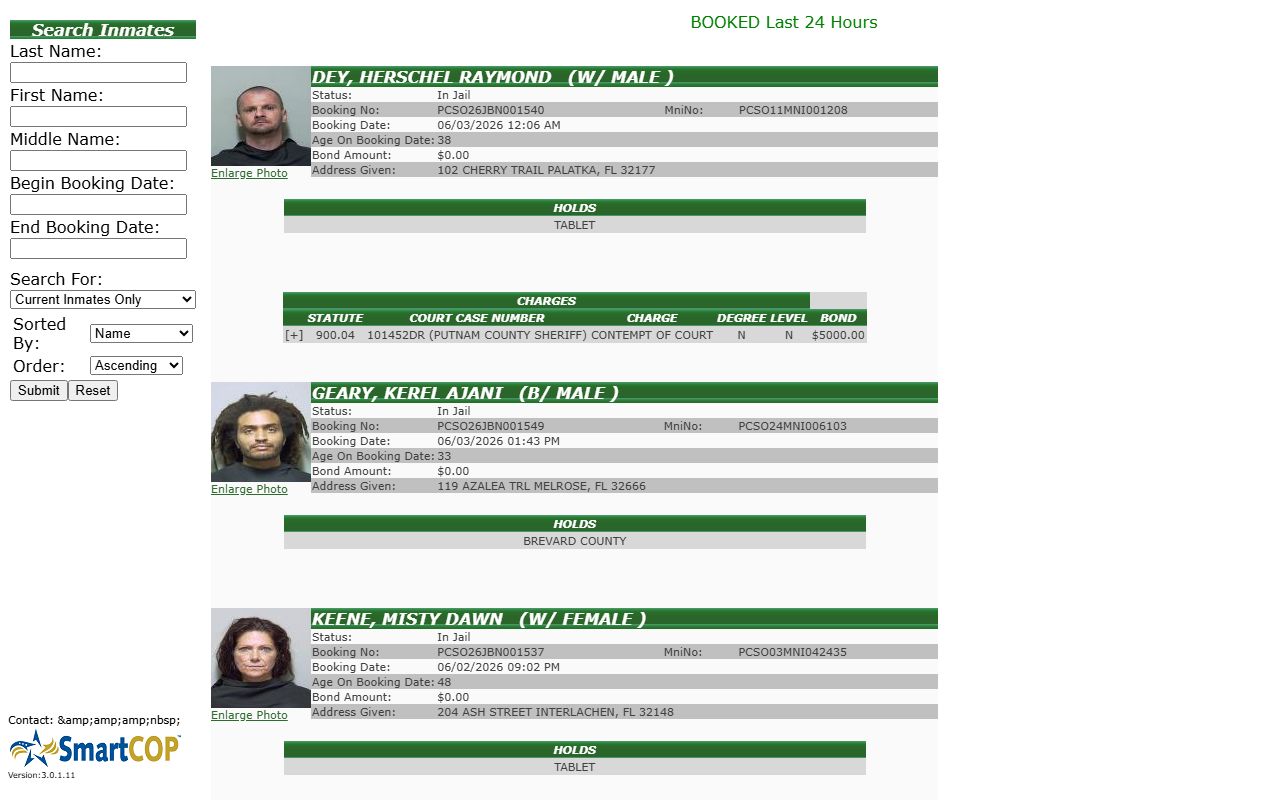
The search panel on the left mirrors the fields below, and the result grid on the right is where booking photos, charges, and bond amounts load after you click Submit.
Putnam County Roster Search Fields
The roster form accepts a small set of fields. None are strictly required by the public form, but a last name is the practical minimum for a useful search. The release date fields stay hidden until you choose a search mode that can return released people. The table below lists each field, its type, and how it behaves.
| Field Label | Type | Required | Notes |
|---|---|---|---|
| Last Name | Text | No | Free-text name field; the practical starting point for most searches. |
| First Name | Text | No | Free-text field; add it when a surname is common. |
| Middle Name | Text | No | Free-text field for narrowing further. |
| Begin Booking Date | Date | No | Displayed booking dates use MM/DD/YYYY. |
| End Booking Date | Date | No | Pairs with Begin Booking Date to set a window. |
| Begin Release Date | Date | Conditional | Hidden until a released search mode is selected. |
| End Release Date | Date | Conditional | Hidden until a released search mode is selected. |
| Search For | Dropdown | No | Current Inmates Only; Released Inmates Only; Both Current And Released. |
| Sorted By | Dropdown | No | Name; Booking Date. |
| Order | Dropdown | No | Ascending; Descending. |
Note: The release date fields only show up after you pick "Released Inmates Only" or "Both Current And Released," a quirk that trips up many first-time searchers.
What a Putnam County Inmate Record Shows
A Putnam County booking record packs a lot into one screen. The header names the person and lists a short race and sex code in parentheses, such as "(B/MALE)." Below that you find the status, the identifiers, the booking time, the bond, the address given at intake, and a charge table. The charge table is the richest part, since each row ties a charge to a statute, a court case number, a degree, a level, and its own bond. The inventory below explains each field.
| Field | What It Shows |
|---|---|
| Booking photo | Inline mugshot with an "Enlarge Photo" link for a bigger view. |
| Name header | Last, first, and middle name, plus a race and sex shorthand in parentheses. |
| Status | Custody value such as "In Jail." |
| Booking No | PCSO booking identifier, for example PCSO26JBN001534. |
| MniNo | Master name index number, also PCSO-prefixed, such as PCSO11MNI000840. |
| Booking Date | Date and time of booking, shown as MM/DD/YYYY HH:MM AM/PM. |
| Age On Booking Date | The person's age at intake. |
| Bond Amount | The overall bond figure, or "NO BOND" when release is not allowed. |
| Address Given | The address the person gave at booking. |
| Charges | Each charge row lists statute, court case number, charge name, degree, level, and bond. |
| Charge expander | A "[+]" / "[-]" control that opens or closes extra charge detail. |
The booking number is worth copying exactly. When you call the jail or file a records request, that number speeds things up. The MNI number is a separate master index value, so the same person can carry one MNI across more than one booking. The charge table also shows court case numbers, which lets you cross over to the court docket without guessing.
A booking photo for a current inmate appears right on the roster result. For a deeper look at how those photos work and how long they stay public, see the jail roster mugshots page.
How a Putnam County Booking Appears
A local arrest moves from the street to the jail before it shows up online. The arresting agency, whether the sheriff, Palatka Police, or another officer, transports the person to the Putnam County Jail. Staff confirm identity, check for holds, inventory property, take a booking photo, and enter the arrest charges. The system creates or updates a PCSO booking number and an MNI number. Bond is entered as a total, as per-charge rows, or as "NO BOND." Once intake processing is done, the booking, the photo, the charges, and the bond become visible on the public roster.
Timing varies. The roster defaults to a "BOOKED Last 24 Hours" view, which tells you the system supports very recent booking visibility. Still, the exact refresh rate is not posted. A person can be in custody for a short while before the record loads. If a new booking is not visible yet, do not assume the person is free. Call the jail or use the records channel instead. After booking, the case heads toward a first appearance, where a judge reviews bond and detention. The jail roster is a snapshot of jail-entered status, not the final court order.
Note: A booking can lag the arrest by some time, so a missing record is not proof of release; confirm custody by phone before you act on it.
County, State, and Federal Inmate Searches
Readers mix up these systems all the time. The county roster covers people held in the Putnam County Jail. That means pretrial detainees and people serving a short local sentence. Once a person is sentenced to state prison and committed to the Florida Department of Corrections (FDC), the county roster may drop them, and the state locator takes over. The FDC system is the right tool for sentenced Florida prisoners, including anyone held at Putnam Correctional Institution, the state prison in East Palatka. Federal prisoners use the Bureau of Prisons. Immigration detainees use the ICE locator. The table below maps each custody type to the correct search.
| Custody | Where to Look |
|---|---|
| Pre-trial or short county sentence | Putnam County jail roster (SmartWEB) |
| Sentenced state prisoner | Florida Department of Corrections locator |
| Federal prisoner | Federal Bureau of Prisons locator |
| Immigration hold | ICE Online Detainee Locator |
| Custody alerts and notifications | VINELink |
The FDC locator shows a DC number, the committed name, demographic identifiers, the current facility, sentence and offense details, and a photo when one is available. That is a different record than the county roster. A few terms help here. A detainer is a request by another agency that wants custody of the person. A hold is any reason that can block release even when local bond is paid. A person can sit in the county jail on no bond simply because a hold is in place.
The federal side works differently. The Bureau of Prisons locator searches sentenced federal prisoners by name or by register number, and it does not publish federal mugshots. The image below shows that federal tool.
You can run a federal search on the Federal Bureau of Prisons inmate locator.
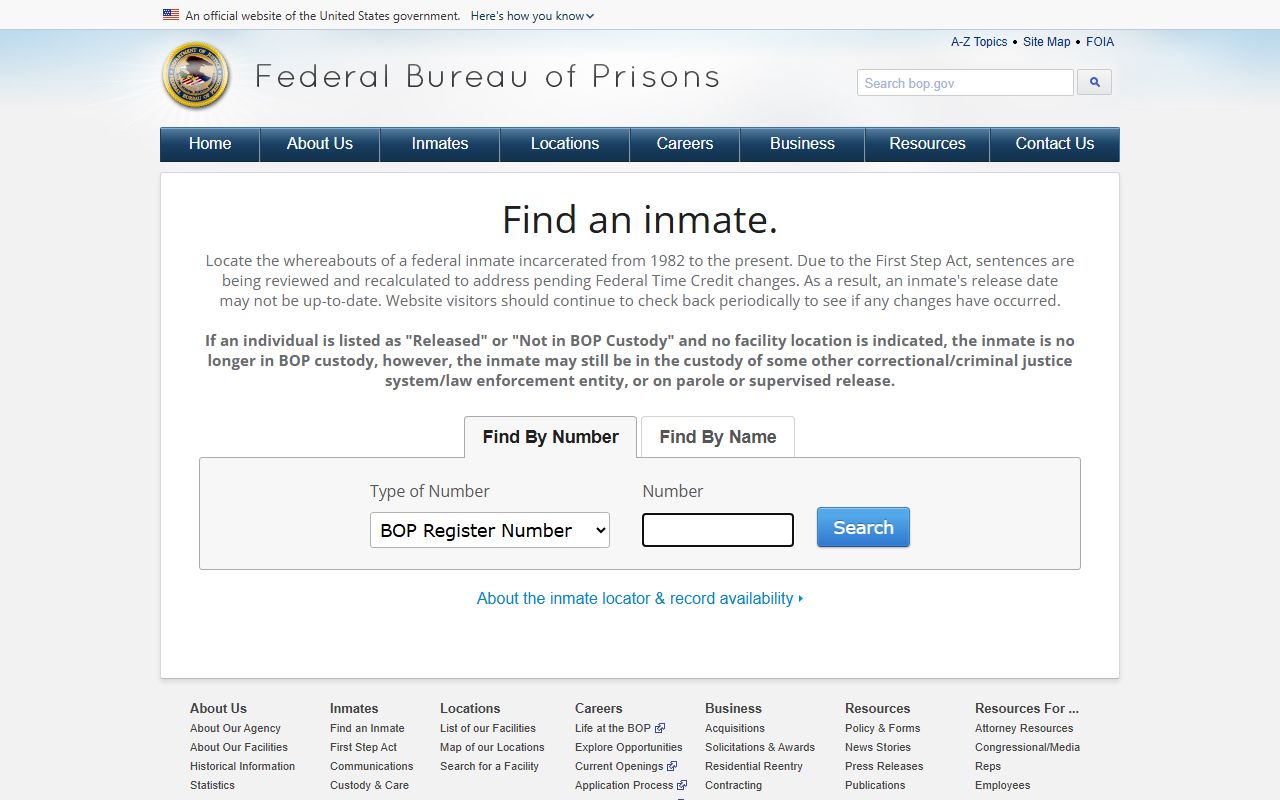
Use that locator only when a Putnam County case has moved into federal custody, since local arrests almost always start on the county roster instead.
Putnam County Detention Facilities
Two facilities matter for inmate lookups tied to Putnam County. The Putnam County Jail in Palatka is the local detention facility run by the sheriff. The Putnam Correctional Institution in East Palatka is a state prison run by the Florida Department of Corrections. They are not the same, and they use different lookups. The jail uses the SmartWEB roster. The state prison uses the FDC locator. The contact card below covers both, and each facility has its own page on this site.
Putnam County Jail
130 Orie Griffin Blvd
Palatka, FL 32177
386-329-0800
Video visitation 7 days a week
Putnam Correctional Institution
128 Yelvington Road
East Palatka, FL 32131
386-326-6800
FDC visitation by application and schedule
The jail holds pretrial detainees, local sentenced inmates, and people held before court, bond, release, or transfer. Its current population was 361 on June 1, 2026, according to the Jail Data Initiative public dataset, while the 2025 average daily population was about 381. A current official rated bed capacity for the jail was not published in the county sources reviewed. The state prison holds sentenced Florida prisoners, not county pretrial detainees, so a person there will not appear on the county roster.
Other Ways to Confirm Putnam County Custody
The roster is the fastest channel, but it is not the only one. When the online search comes up empty, or when you need a record the roster does not display, several official paths exist. Pick the one that matches your question.
- Phone or in person. Call the sheriff's main line at 386-329-0800 to confirm custody when the roster does not answer the question.
- Public-records request. Use the sheriff public records page for booking records, incident reports, and photos not visible online.
- State prisoners. Search the Florida Department of Corrections locator after a transfer to state prison.
- Federal and immigration. Use the Bureau of Prisons locator or the ICE detainee locator for those cases.
- Notifications. Register on VINELink for custody-status updates and victim notifications.
The Putnam County Sheriff's Office also has an app presence, shown by an Apple developer listing. The app's feature set was not confirmed in current sources, so it should not be treated as an inmate-search tool until that is verified. For now, the web roster and the phone line are the dependable county channels. The sheriff divisions page also names the Detention, Corrections, Records, and Warrants units that handle these requests.
Note: The SmartWEB roster is not a complete records archive, so older bookings, sealed cases, and exempt details may require a public-records request instead.
Putnam County Jail Visitation
The Putnam County Jail uses video visitation, not a walk-up window. The sheriff contracted with Smart Communications to install kiosks in housing units. Family and friends set up an account through Smart Jail Mail before a remote visit. Remote visits run from a personal computer. Inmates can also start a video-on-demand session, which the receiving end must answer within three minutes. Visits last 15 or 30 minutes, and the sheriff page lists a cost of $0.10 per minute for remote visits. Every visit is monitored and recorded. The schedule below runs seven days a week.
| Day | Hours | Type |
|---|---|---|
| Monday | 8:00-11:00 a.m. / 1:30-4:00 p.m. / 6:30-8:30 p.m. | Video |
| Tuesday | 8:00-11:00 a.m. / 1:30-4:00 p.m. / 6:30-8:30 p.m. | Video |
| Wednesday | 8:00-11:00 a.m. / 1:30-4:00 p.m. / 6:30-8:30 p.m. | Video |
| Thursday | 8:00-11:00 a.m. / 1:30-4:00 p.m. / 6:30-8:30 p.m. | Video |
| Friday | 8:00-11:00 a.m. / 1:30-4:00 p.m. / 6:30-8:30 p.m. | Video |
| Saturday | 8:00-11:00 a.m. / 1:30-4:00 p.m. / 6:30-8:30 p.m. | Video |
| Sunday | 8:00-11:00 a.m. / 1:30-4:00 p.m. / 6:30-8:30 p.m. | Video |
A few rules guard the visit. Children age 17 and under must be with a parent or legal guardian and cannot be left unattended. The dress code bars see-through or revealing clothing and visible underwear. Loud, disruptive, or obscene conduct can end a visit, and visitors who appear to be under the influence will be cut off. The director of corrections or a designee may deny a visit to protect safety and order. On-demand calls answered within three minutes is the standard.
Visitation, mail, and money details all live on one official page. You can review them on the sheriff offender family resources page.
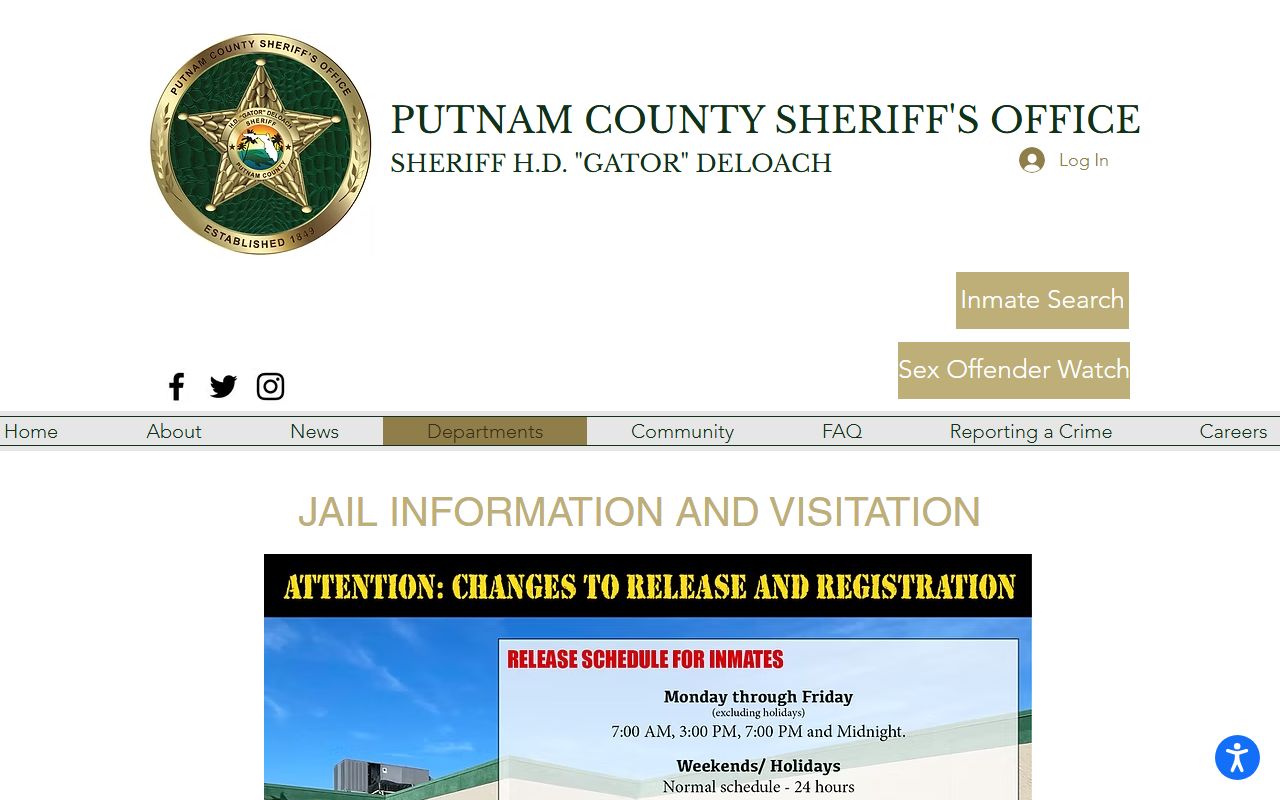
That page is the strongest local source for video visits, Smart Jail Mail, scanned postal mail, canteen funds, and the medical-information contact for families.
Mail and Messages for a Putnam County Inmate
Mail does not go straight to the jail. Regular inmate postal mail must be sent to a Smart Communications processing address, where it is scanned and delivered to the inmate through a kiosk. The original paper is destroyed after scanning. That means you should send copies only. Do not mail birth certificates, Social Security cards, marriage certificates, or photos you need back. Print the inmate's full name and ID number on the outside of every envelope or postcard, or the mail can be returned to sender.
Legal mail follows a different path. Mail from an inmate's attorney of record must be marked as legal mail and goes directly to the jail address. It is opened in the inmate's presence and scanned into a separate legal account. The two addresses below keep regular and legal mail apart.
| Mail Type | Address Format |
|---|---|
| Regular scanned mail | Smart Communications / Putnam County; Inmate First and Last Name, Inmate ID #; PO Box 9151; Seminole, FL 33775-9151. |
| Legal mail | Inmate First and Last Name, Inmate ID #; 130 Orie Griffin Blvd, Palatka, FL 32177. |
On release, a person can log into SmartJailMail.com with the inmate number and password and download photos, messages, and postal mail for free for up to 30 days. Smart Communications runs a customer care line at 888-843-1972 for account setup, deposits, and billing questions. For urgent medical details, the sheriff page lists inmatefamily@putnamsheriff.org so families can pass prescriptions, allergies, or a mental-health diagnosis to jail medical staff.
Putnam County Inmate Funds and Commissary
The sheriff page calls this service Inmate Canteen Services. You can fund an account several ways, and the fee depends on the method. A money order hand-delivered to the Corrections Division lobby carries no fee. The jail lobby cash kiosk charges $1. Video visitation accepts debit or credit only. Online deposits run through ConnectNetwork and follow a tiered fee schedule. Care packages can be ordered through iCare Gifts. The table below lays out the common deposit fees.
| Method | Fee or Limit |
|---|---|
| Money order to Corrections Division lobby | No fee |
| Jail lobby cash kiosk | $1 per cash deposit |
| Video visitation payment | Debit or credit only |
| ConnectNetwork online, $0.00-$25.00 | $3.25 + 3% |
| ConnectNetwork online, $25.01-$100.00 | $4.50 + 3% |
| ConnectNetwork online, $100.01-$200.00 | $6.00 + 3% |
| ConnectNetwork online, $200.01 and up | $7.50 + 3% |
| Care packages | iCare Gifts vendor pricing |
One more cost can follow a stay. People processed by the jail may be charged fees that offset the cost of incarceration, such as a booking fee, a housing fee, and medical fees. These are due at release in the exact amount. If they go unpaid for 14 days, the account moves to Advent Financial Systems, which handles billing through payafee.net. None of this affects how you search the roster, but it helps families plan.
Note: Confirm that the person is actually in the Putnam County Jail before you send money or book a visit, since funds and visits tie to a live booking.