
Are Putnam County Jail Mugshots Public
Yes. The Putnam County jail roster shows booking photos in its public view. The roster runs on a platform called SmartWEB, branded as JAIL View, and it is hosted by the Putnam County Sheriff's Office. Each recent booking that appears on the roster carries an inline photo. There is no login and no fee to look. The same record that holds the photo also holds the name, the booking number, the charges, and the bond, so the mugshot is just one field in a larger booking record.
The photo is tied to a specific booking. It is not pulled from a separate gallery or a daily flyer. When the system opens, it shows a default list of people booked in the last 24 hours, each with a small image. That recent-bookings list is the closest thing the county has to a public mugshot feed. There is no separate official mugshot-gallery page documented for Putnam County, so the roster itself is the source. How long a given photo stays in the public view depends on the person's custody status, which the next sections explain.
Where to Find Putnam County Booking Photos
The booking photo sits on the left side of each roster result. You reach it through the sheriff's online jail search, which you can open from the agency site or go to directly. The default screen already lists recent bookings, so for a fresh arrest you may see the photo before you even type a name. For an older booking, a name search brings up the matching record. When a record is no longer in the current list, the search can be switched to a released mode to find it again.
You can view the official roster on the Putnam County SmartWEB jail search page, which displays each booking photo inline with the rest of the record.
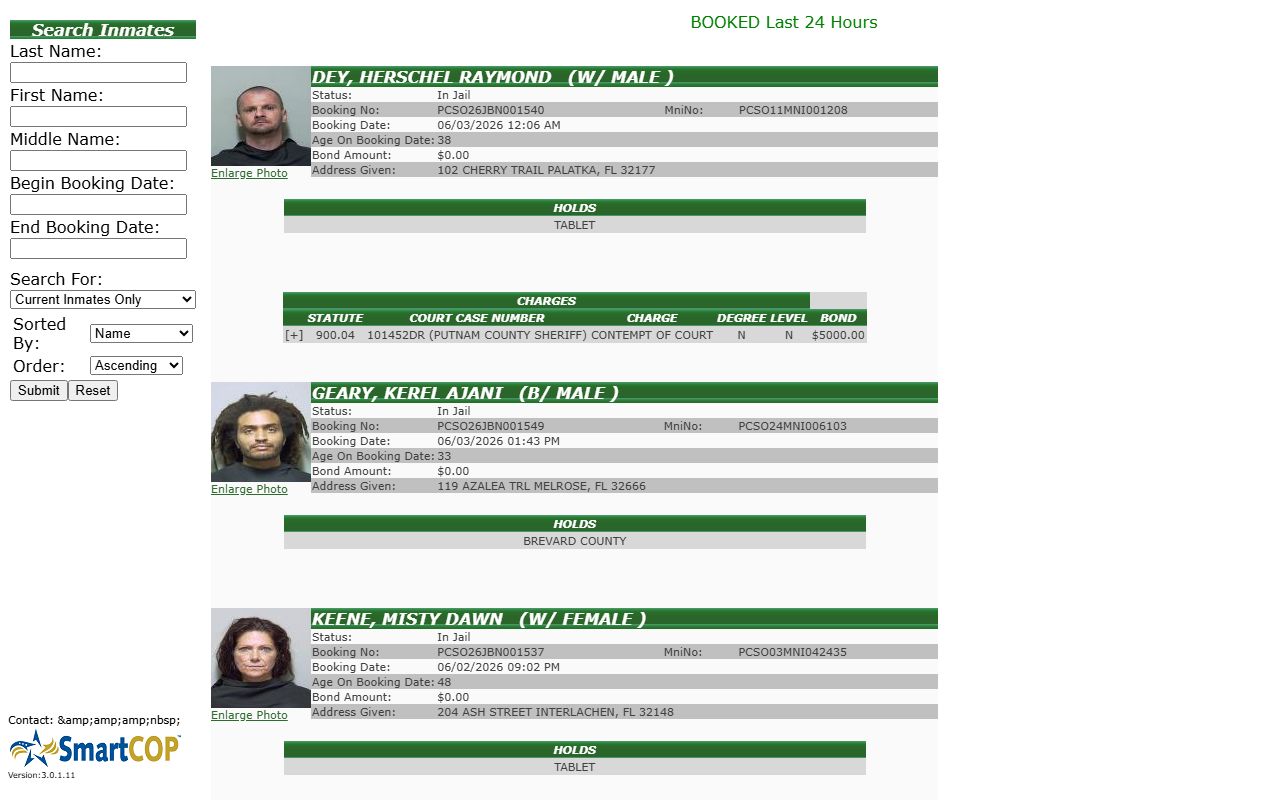
The screen shows the search fields on the left and the booking results on the right, with a photo, name, and charges for each person listed. To pull up a specific booking photo, work through these steps.
- Open the SmartWEB jail roster and scan the default "BOOKED Last 24 Hours" list if the arrest was recent.
- For an older booking, type the last name, then add the first name to narrow a common name.
- Read the result to see the inline booking photo, the status, the booking date, and the charge table.
- Click the "Enlarge Photo" link to open the larger image; SmartWEB serves the full-size photo through a ViewImageFull page tied to the booking number.
- If the person no longer shows, switch the search mode to "Released Inmates Only" or "Both Current And Released" and add booking or release dates.
- If the photo is not online or the record has aged out, file a public-records request with the sheriff's office.
Note: The roster also lets you sort by name or booking date and expand a charge row with the plus marker when a booking has extra charge detail.
What a Putnam County Booking Photo Shows
The mugshot does not stand alone. It sits in a booking record with a set of fields that the sheriff's roster publishes for each person. The photo is the field most people come for, so it is worth knowing what frames it. The name header carries the last, first, and middle name plus a short race and sex code in parentheses. Booking details such as the booking number, the date and time, and the age at intake round out the basic record, and a charge table lists the offenses below. The table here lays out the main fields, with the photo field first.
| Field | What It Shows |
|---|---|
| Booking Photo | The mugshot taken at intake, shown inline on the roster with an "Enlarge Photo" link; the full-size image opens through a ViewImageFull page tied to the booking number. |
| Name | Last, first, and middle name, followed by a short race and sex code in parentheses, such as a B/MALE shorthand. |
| Demographics | Age on the booking date. The observed sample did not show a full date of birth and did not list a housing pod. |
| Booking Date | Date and time of booking, shown in MM/DD/YYYY format with a clock time. |
| Charges | A charge table with the statute, the court case number, the charge name, the degree, the level, and the bond for each count. |
The booking number uses a PCSO prefix with a two-digit year and a sequence, and a separate master name index number also carries the PCSO prefix. Bond may read as an amount or as "NO BOND." The address given at booking can appear as well. None of these fields turn the page into a court record, though. The roster shows arrest and booking charges, while the formal court charges live in the clerk's case file.
Putnam County Mugshots and Florida Law
Florida treats agency records as open to the public unless a specific exemption applies. A jail booking photo is an agency record, so under that broad rule it is generally public. The roster reflects this by showing photos in the free public view. The law still carves out limits, though. Some criminal-justice details, victim-sensitive information, juvenile records, and active-investigation material can be held back or redacted even when most of a booking record stays open. The two statutes below set the frame for booking photos and for the separate question of commercial mugshot sites.
Key Statutes:
Fla. Stat. § 119.071 - Lists the exemptions to Florida's open-records law, including criminal-justice and booking-photo limits that say what a jail can hold back or redact.
Fla. Stat. § 901.43 - Addresses how commercial mugshot-publishing sites must handle removal requests, a rule that is separate from asking the sheriff for an official record.
Fla. Stat. § 943.0585 - Sets the court-ordered expunction process that can pull a qualifying record out of ordinary public access.
Note: Florida public-records law leans toward access, but an exemption can still block a juvenile, sealed, or investigative detail, so not every booking field is always visible.
How Long a Mugshot Stays on the Roster
The roster handles current and past bookings in different modes. By default it shows people who are still in custody. The "Search For" control lets you choose "Current Inmates Only," "Released Inmates Only," or "Both Current And Released." When a released mode is picked, the form adds begin and end release-date fields. That tells you a released person can still surface with their booking photo if you search the right way and use a date range.
The exact window for how long a released person's photo stays reachable was not posted on the roster during research. Because no official notice fixed a number, no fixed count of days should be claimed here. What is clear is that current inmates show by default, released records need a released-mode search, and a record can age out of the online view over time. When that happens, the public-records route is the next step rather than a guess about retention.
What is and isn't public: The roster shows the booking photo, name, charges, bond, and booking dates for listed bookings in the public view. It does not show full investigative reports or complete court dockets, and Florida law lets the office withhold juvenile records, sealed or expunged cases, and exempt criminal-investigative information. Records that are not online can be sought through a sheriff public-records request.
How to Request a Putnam County Booking Photo
When a booking photo is not on the roster, the official fallback is a public-records request to the sheriff's office. This applies to older bookings, records that have aged out of the online view, and photos the system does not display. The sheriff's records channel handles booking records, incident reports, and photos that are not posted. You submit the request through the agency's public-records page and ask for the specific booking photo, ideally with the person's name and a booking number or date to help staff find it.
You can start a request from the Putnam County Sheriff's public-records page, which routes records requests and lists fee information for agency records.
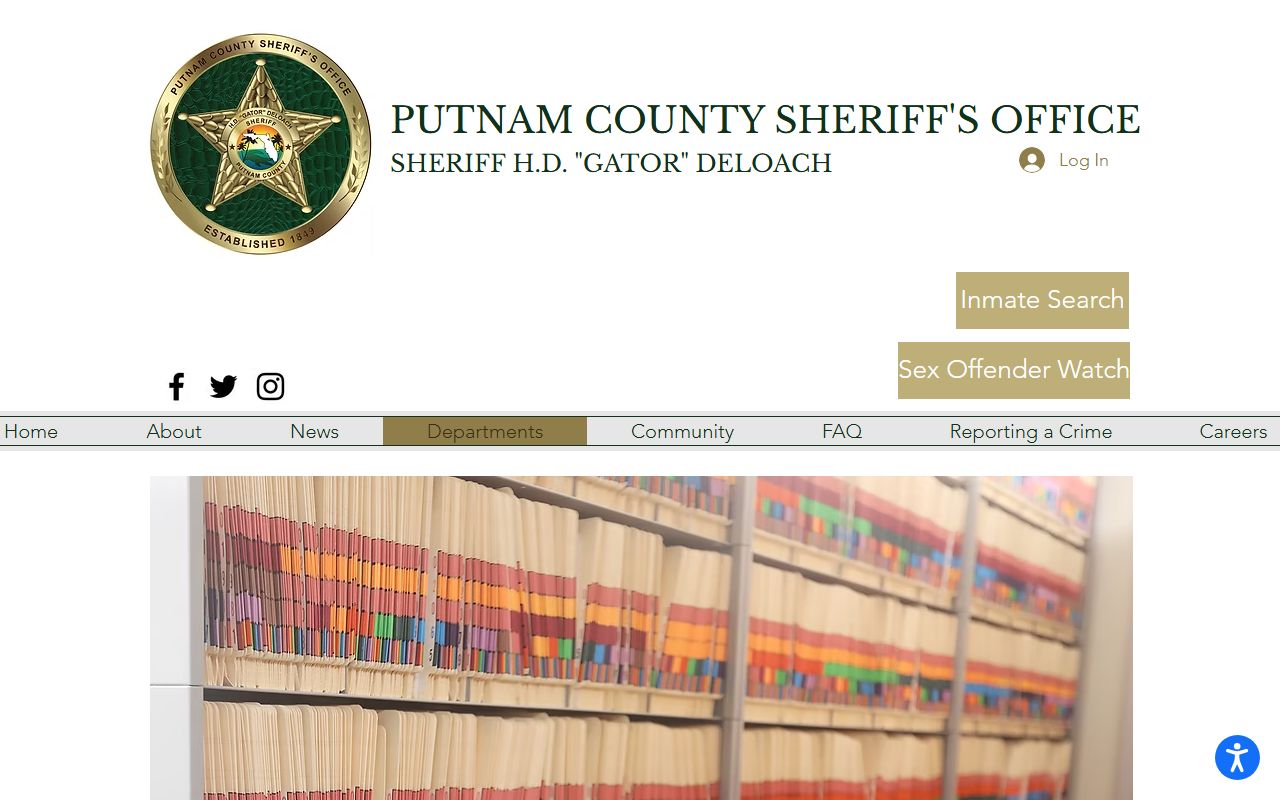
The page is the agency's front door for records that are not searchable online, and it points requesters to the right channel for booking and incident records. The roster itself is not a full records archive, so a request is the correct path for anything beyond the live public view. Fees and turnaround vary by record type, so confirm the current fee with the records unit when you submit. A court case tied to the booking is a separate record held by the clerk, and that file does not replace the jail booking photo.
Note: A public-records request asks the agency that holds the record, so booking photos go to the sheriff's office while court documents go to the clerk of the circuit court.
Mugshot Removal and Sealed Records
Getting a booking photo out of public view is a legal question, not a payment to a website. Florida sets a court-ordered expunction process under its expunction statute, and that is the route that can pull a qualifying record out of ordinary public access. Expunction usually follows a favorable outcome in the case, such as a dismissal or a decision not to prosecute, and it runs through the court rather than the jail. Once a court orders expunction, agencies act on that order. A separate state rule governs how commercial mugshot-publishing sites must handle removal, but that is a different track from clearing the underlying record.
No commercial "pay to remove" service is needed or endorsed for this. The proper path is the court process. If you want to understand how sealing and expunging fit into the broader case timeline, the page on court records after a jail arrest walks through the charge-to-disposition steps and the sealed-versus-expunged difference. For the custody side of the same record, the Putnam County jail inmate records page covers the roster and booking fields in more depth. Both tie back to the same booking, just at different stages.
Federal and State Booking Photos
The county jail roster is only one custody system. A person who is sentenced to state prison moves out of the county roster and into the Florida Department of Corrections locator. FDC profiles for sentenced prisoners commonly include a state inmate photo, so a mugshot-style image can still be found there, just through a different search. The FDC inmate search is the right tool once a person is committed to state custody, not the county SmartWEB roster.
Federal custody works differently. The Federal Bureau of Prisons inmate locator finds sentenced federal prisoners, but it does not publish booking photos the way a county roster does. The ICE Online Detainee Locator finds people in immigration custody, again without a public mugshot gallery. So the simple rule is this. County jail bookings carry photos on the sheriff's roster. State prison photos appear in the FDC profile. Federal and immigration locators confirm custody but do not run mugshot galleries. Matching the person to the right system is the key to finding, or not finding, a booking photo.